
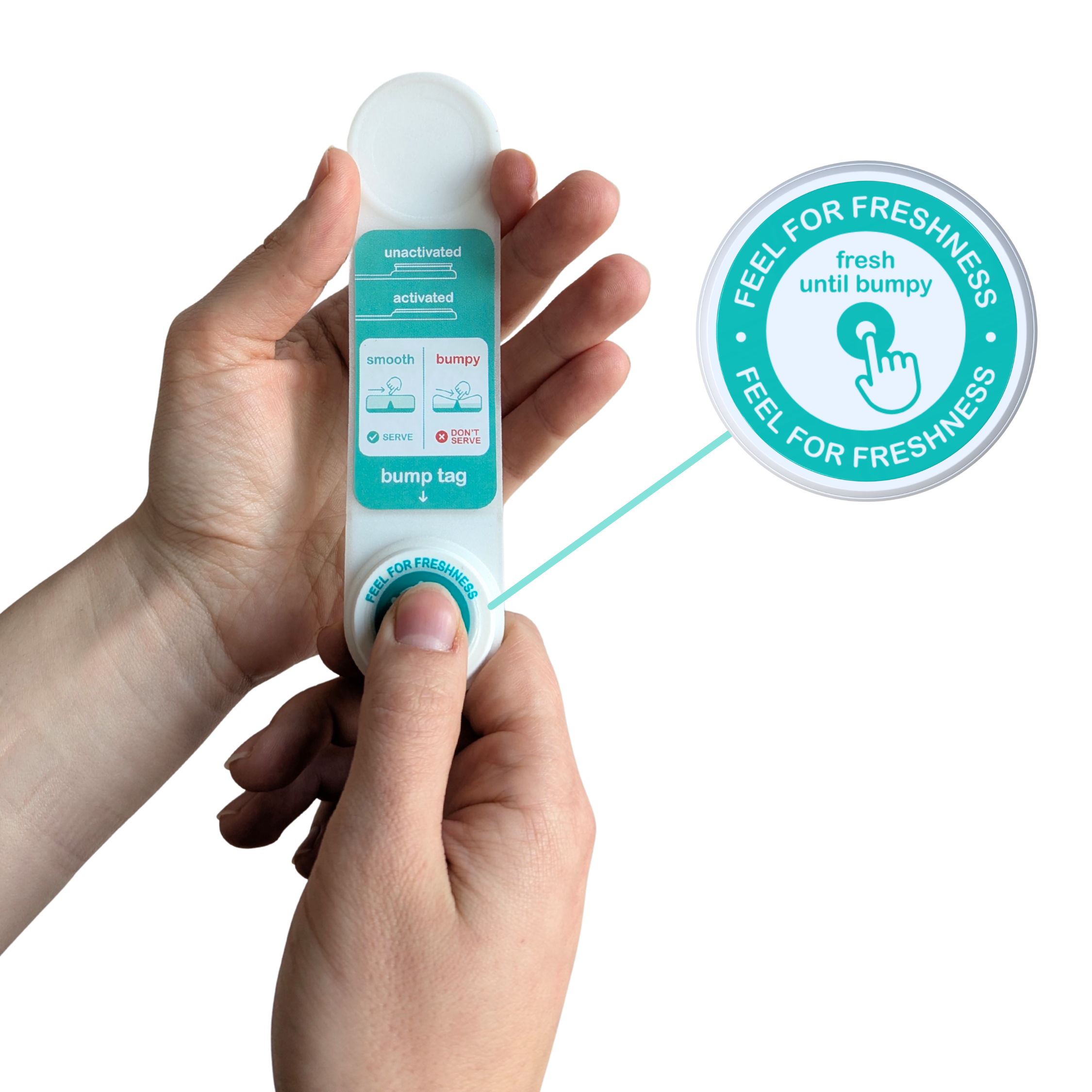
Radically reducing unnecessary food waste and improving safety
Our Bump Tag solution helps complex catering operations comply with the 4-hour rule, ensuring food is safe to serve and maximising service time before wasting. It responds to real storage conditions, only turning bumpy when the food can no longer be served.
Waste less, save more safely

Ensure safety
Bump Tag is calibrated to the 4-hour rule, making sure food being served is safe. It pauses and resumes automatically as food moves in and out of chilled storage.

Reduce waste
Bump adjusts automatically as conditions change to maximise service time, only flagging food once it can no longer be safely served. Clear serve/don’t serve guidance when it matters most.

Save costs
Reducing food waste delivers real cost savings and operational efficiency. It also protects your brand reputation and helps avoid health inspections and lost revenue.
How to use the Bump Tag?
Bump is tactile: swipe it with a little pressure, like applying a postage stamp.
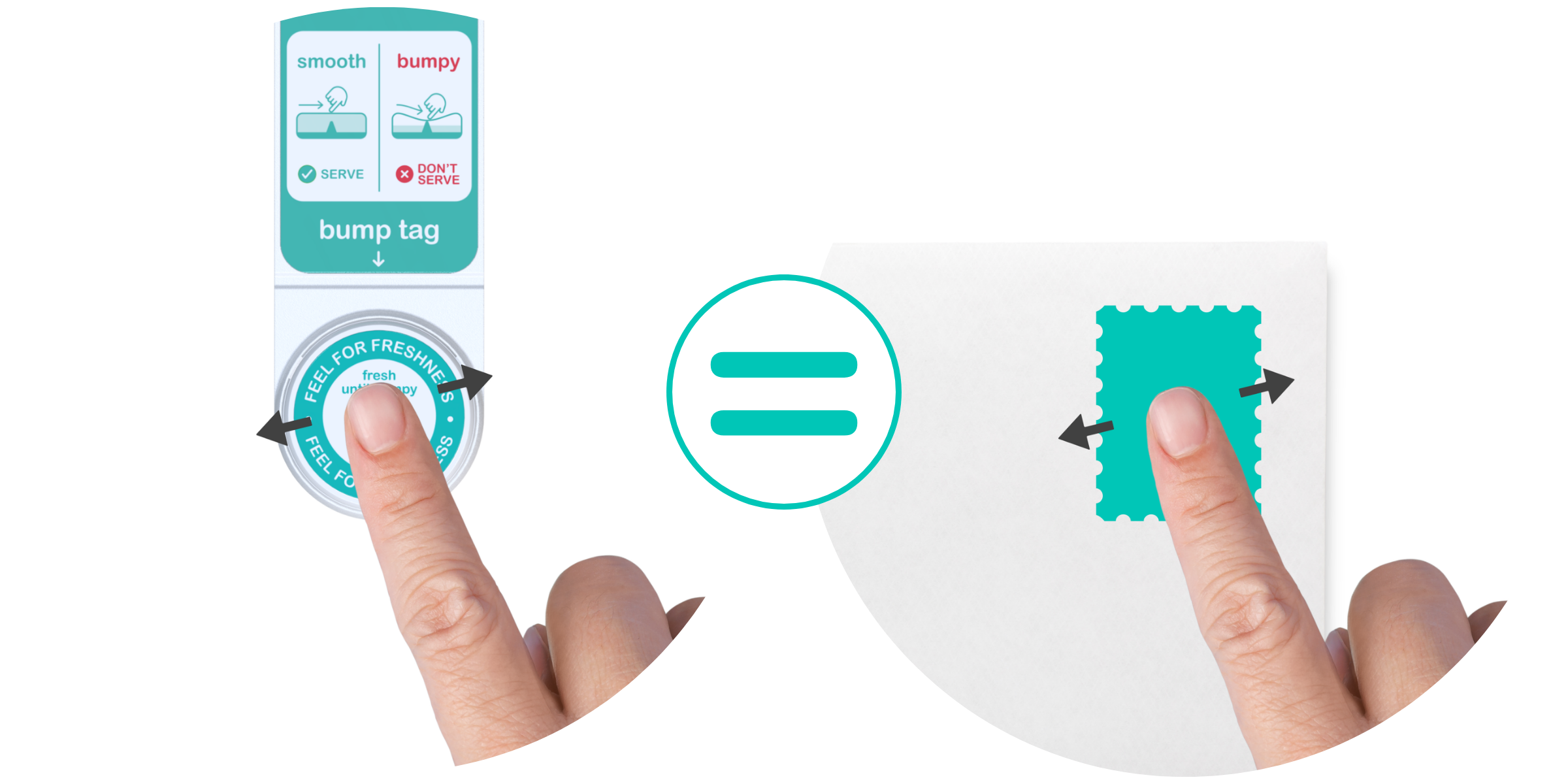
When the surface of the tag feels firm and smooth, the food is still in the safe window and is good to serve.
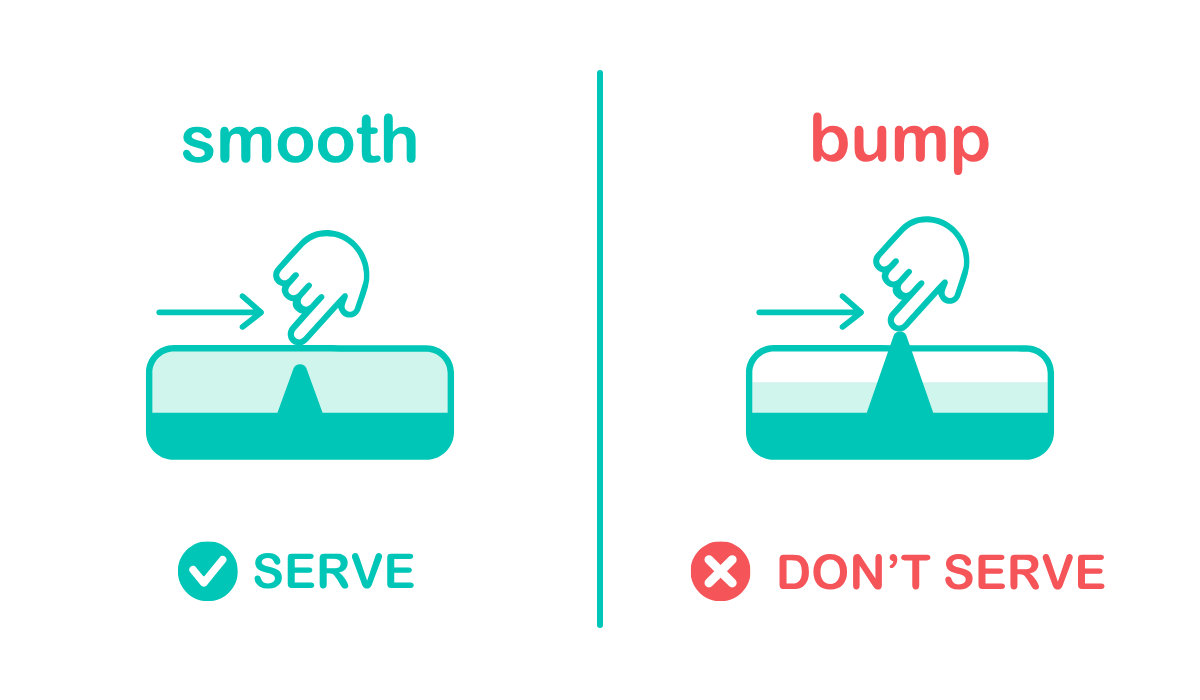
If you start to feel the pointy bump in the centre of the tag, 4 hours have passed and the food can’t be served.
How does Bump work?
Once activated, the Bump Tag reacts to the temperature conditions food is stored in. The reaction will speed up when it’s out of the chiller and slow down again automatically when it returns to chilled conditions.
If the bump can be felt on the Bump Tag it means the food has been out of the fridge for a total of 4 hours and shouldn’t be served. If kept chilled, the Bump Tag will stay smooth for the duration of the whole journey.
Activating your Bump Tag
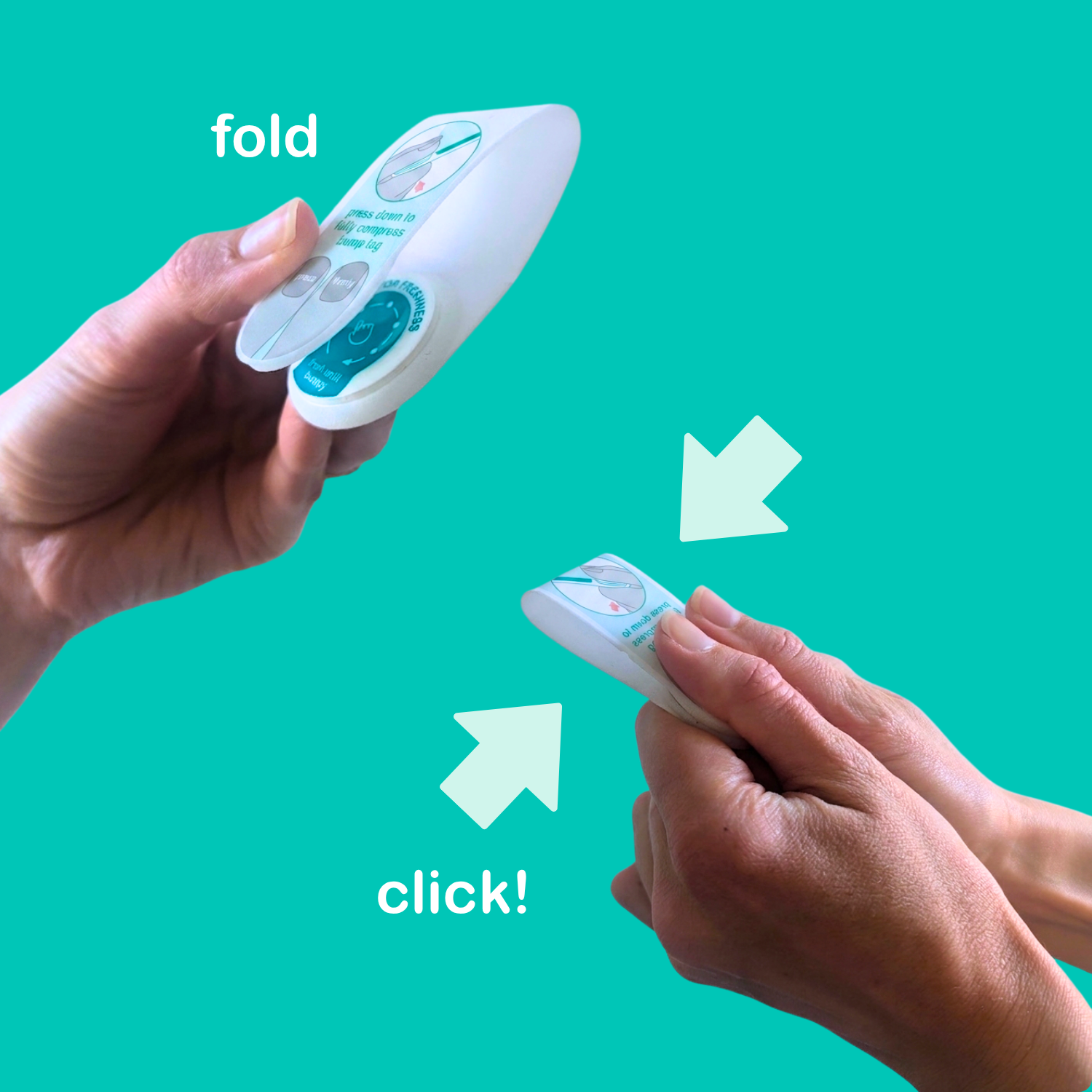
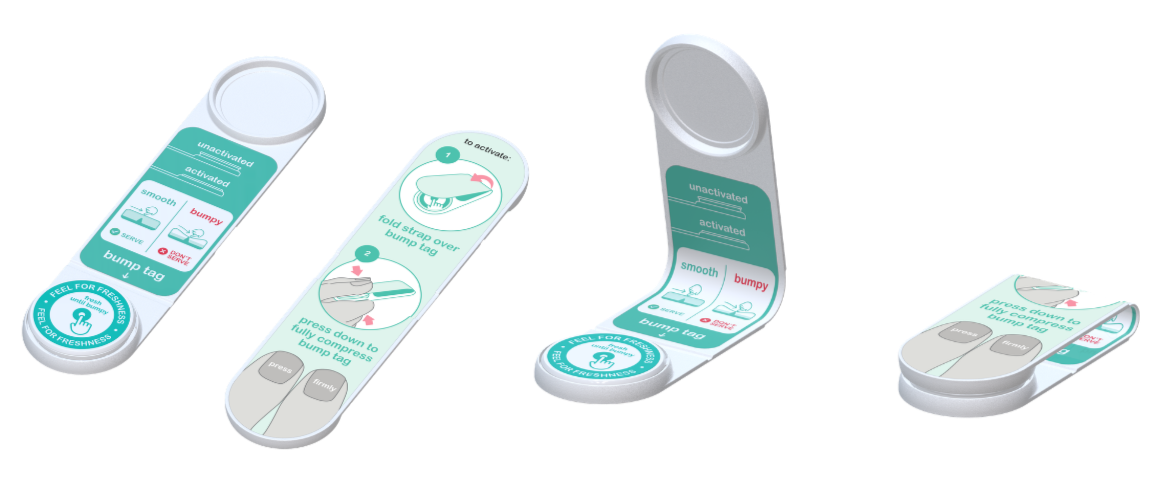
The Bump Tag comes in an activation strap. Fold it in half over the Bump Tag.
Squeeze the strap to fully compress the Bump Tag; it will 'click!'
The Bump Tag is now activated and the bump will be felt if it’s out of chilled for longer than 4 hours total.
Calibrated to food safety guidelines for

Airlines

Events

Hotels
Tactile interface: easy to interpret in dark galleys
No electrical components: compatible with security protocols

Why tactile is better?
Inclusive for people with sight loss or poor sight
Colour-blind friendly
Inclusive for people with literacy challenges
Easy to check in a dark environment
Binary: doesn’t rely on interpretation of subtle colour gradient change